Consistent field entry
Use simple templates to relay the same operational data from operators to engineers in the data van.
 Jason BeckmannView the location inventory
 Case study 03
FieldOps
A mobile-ready workspace for field teams, paired with a secured operations dashboard that gives administrators governed visibility into the same location data.
 WORKSITE OPERATIONSWEB APP
The operational problem
Field information can be scattered between manual entries, shift handoffs, and individual familiarity with a location. That makes it harder for operators to complete work consistently and for engineers to see the same supporting data inside the data van.
FieldOps brings that daily work into an accessible location workspace: structured entry, searchable history, and simple calculators that turn operational values into usable checks.
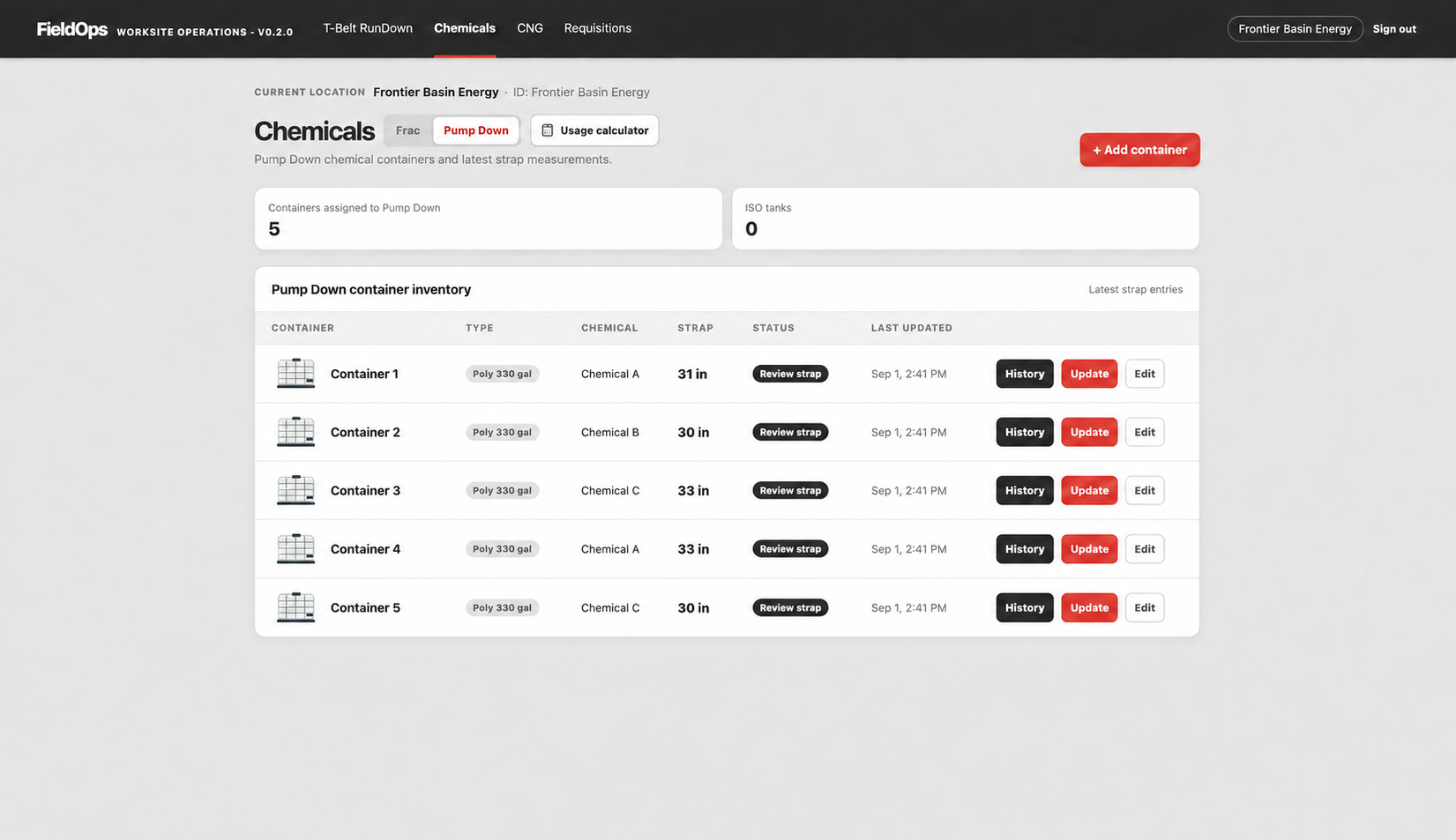
Location inventory · Frontier Basin Energy
The inventory view shows assigned containers, latest strap measurements, timestamps, and record history in a form that is easy to review and update from the field.
Built-in verification
Operators can use the target-volume and set-point calculator to compare chemical usage with barrels pumped. The same workspace that holds the inventory and history helps make the calculation visible and repeatable.
The daily-work foundation
Use simple templates to relay the same operational data from operators to engineers in the data van.
Keep container history, strap entries, and location records easy to review when a daily task needs context.
Use calculators to check target chemical volume against barrels pumped and the selected set point.
Open the mobile web app from a QR code and location PIN—without creating an account.
Administration and setup
The administration dashboard provides the structure behind the field workspace: location setup, well-parameter input, and the operating context that keeps location tools aligned.
New capability · operations dashboard
The field workflow stays lightweight for operators. A separate React dashboard gives authorized administrators a single place to review site status, chemical inventory, wells, CNG activity, and requisitions without exposing Firestore directly to the browser.
React + TypeScript · .NET 8 · Firebase Authentication · Cloud Run
Screening interview summary
“I built FieldOps to make the daily field workflow more consistent without adding access friction. It gives operators a mobile-ready workspace for structured location data, inventory history, and verification calculators. The location is set up in an admin dashboard, then operators can enter through a QR code and PIN to quickly use the right templates and checks at the job. I later extended it with an operations dashboard and a secured REST API, giving authorized administrators one place to review location activity—from inventory and wells to CNG and requisitions—while keeping the underlying field data protected.”